fraew Custom Adverts — Version 1.4.0
Sell your own ad space to real advertising customers. Add image adverts with links, place them in widgets, and track views, clicks, and earnings with automatic pricing and monthly reports to advertisers.
What This Plugin Does
fraew Custom Adverts is a lightweight way to sell your own ad space directly to advertising customers, rather than relying on a third-party ad network.
Create an advert for each advertiser (an image plus a target link), place it in any widget area, and the plugin automatically:
- Records views, clicks and click-through rate (CTR)
- Sends monthly email reports with performance metrics
- Calculates earnings based on flexible pricing templates
- Tracks analytics per advert
You can show your advertisers exactly what their placement delivered, and get paid fairly based on actual performance.
Key Features
Core Functionality
- ✓ Create adverts with title, target URL and image
- ✓ Display any advert in any widget area via the Custom Advert widget
- ✓ Rotating adverts — select multiple adverts per widget and display a random one each page load
- ✓ Per-advert analytics: views, clicks and CTR
- ✓ Filter analytics by last 7, 30, 90 or 365 days
NEW in v1.4.0: Pricing & Reporting
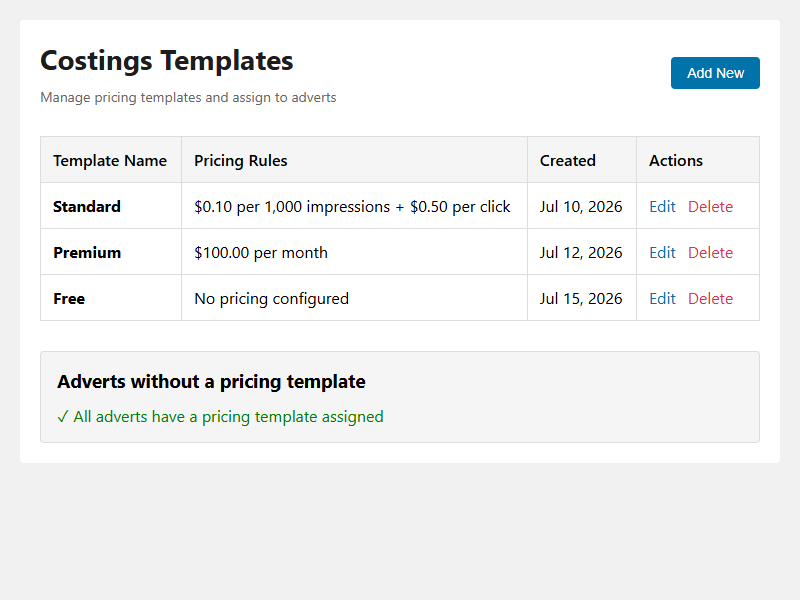
- Flexible pricing templates — set up multiple templates with different pricing models:
- Cost Per Mille (CPM) — charge per 1,000 impressions
- Cost Per Click (CPC) — charge per click
- Daily flat rate — fixed daily charge
- Monthly flat rate — fixed monthly charge
- Monthly email reports — automatically send advertisers performance summaries on the 1st of each month
- Earnings dashboard — assign pricing templates to adverts and track earnings automatically
- Email logs — history of all sent reports with earnings snapshots for transparency
Why Sell Ad Space Directly?
- Keep all revenue — no third-party network taking a cut
- Choose your advertisers — work with brands you trust
- Guaranteed placement — real, local businesses value consistent placement on sites their customers already read
- Data-driven pricing — use built-in analytics to justify pricing and renewals with real numbers
- Professional reporting — send automated monthly updates without manual work
How to Set Up
1. Install & Activate
Download from WordPress.org plugin directory or upload the ZIP file to your site. Activate from Plugins screen.
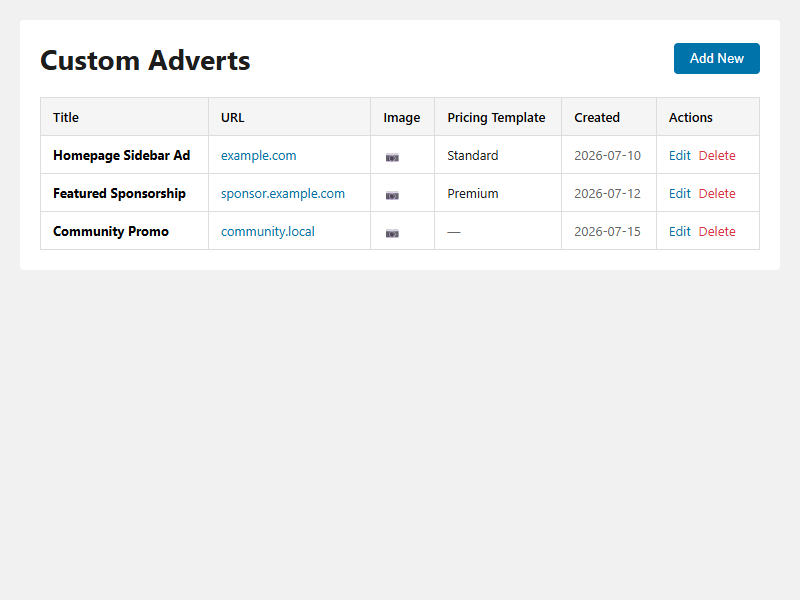
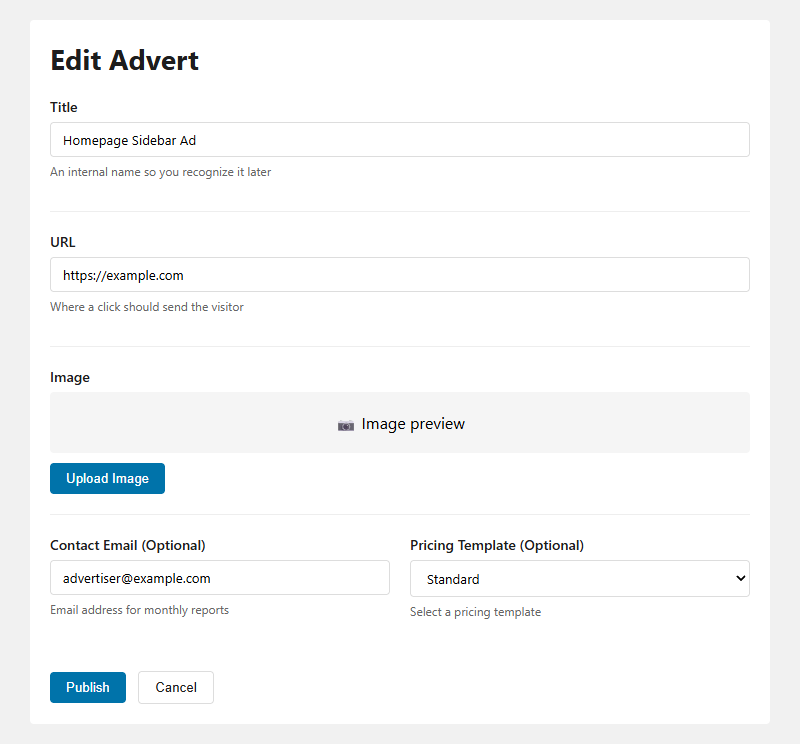
2. Create an Advert
- Go to Custom Adverts → Add New
- Enter a title (for your reference)
- Enter the advertiser’s target URL
- Upload their image
- (Optional) Enter advertiser’s email for monthly reports
- (Optional) Select a pricing template
- Click Publish
3. Display the Advert
- Go to Appearance → Widgets
- Add a Custom Advert widget to any widget area
- Select which advert(s) to display
- For rotating adverts, select multiple adverts and save
- A random advert displays on each page load
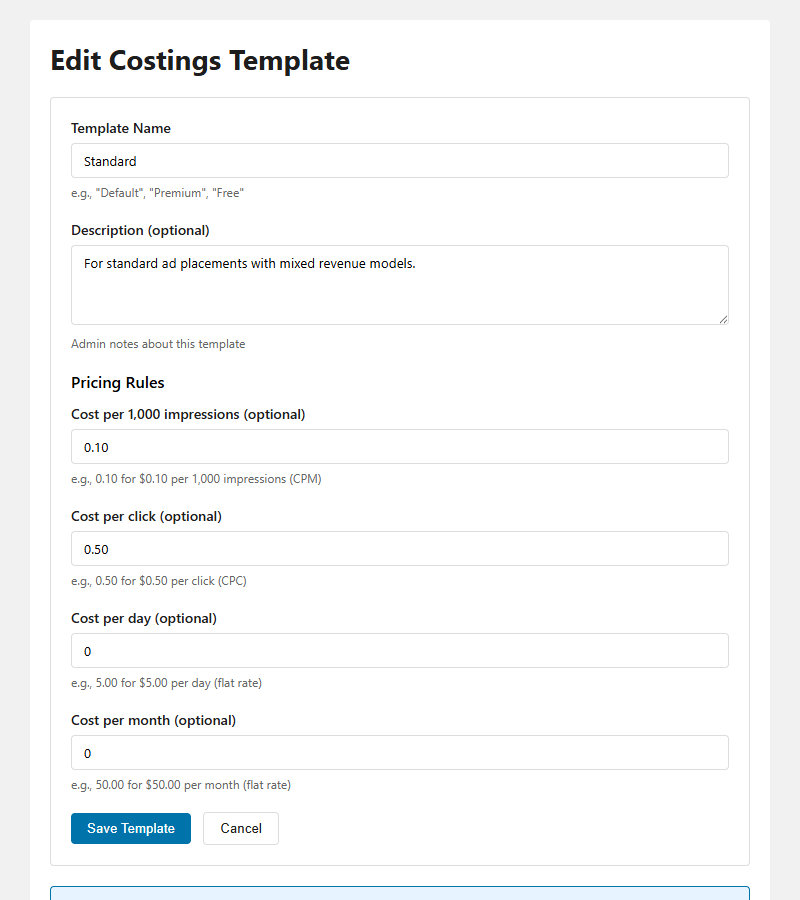
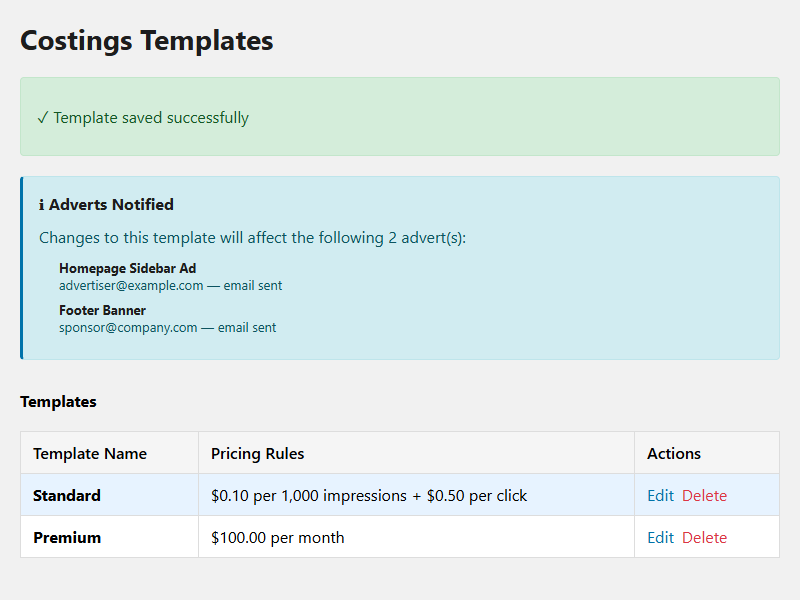
4. Set Up Pricing Templates
- Go to Custom Adverts → Costings Templates
- Click Add New
- Enter template name (e.g., “Standard”, “Premium”)
- Choose pricing model(s):
- Impressions: Cost per 1,000 views (e.g., $0.10 per 1K)
- Clicks: Cost per click (e.g., $0.50 per click)
- Daily: Fixed daily rate (e.g., $25/day)
- Monthly: Fixed monthly rate (e.g., $500/month)
- Click Save Template
- Assign template to adverts (edit advert, select template)
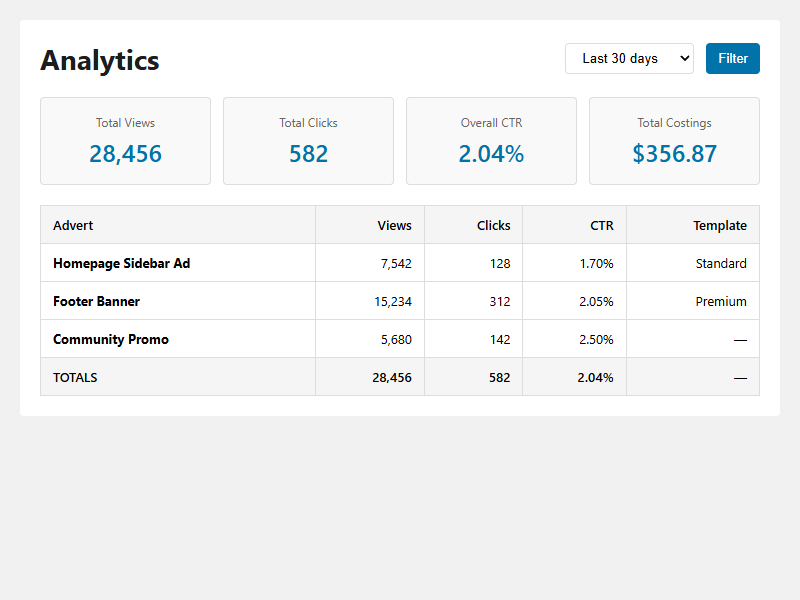
5. Monitor Analytics
- Go to Custom Adverts → Analytics
- Select date range (7, 30, 90, or 365 days)
- View views, clicks, CTR and earnings per advert
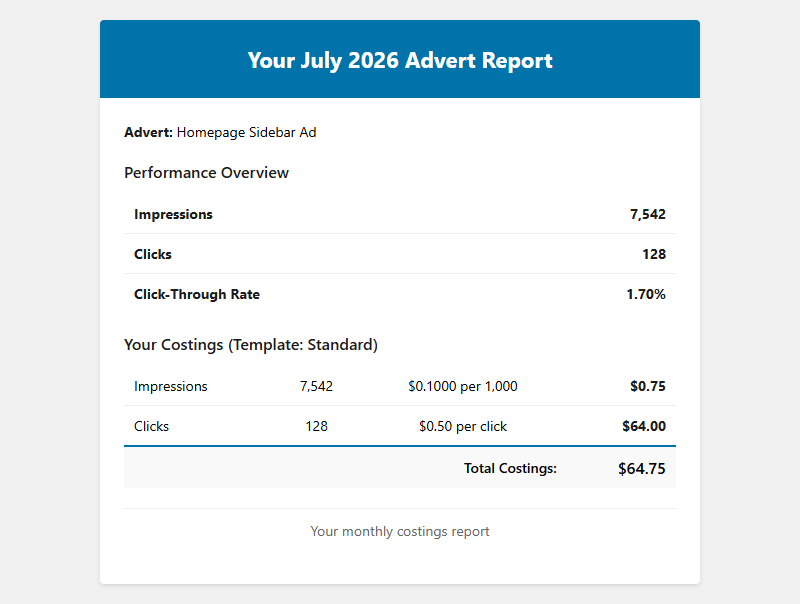
6. Monthly Reports (Automatic)
The plugin automatically emails advertisers on the 1st of each month at 2 AM UTC with:
- Performance overview (impressions, clicks, CTR)
- Earnings breakdown based on pricing template
- Month-over-month comparison
No additional configuration needed — just add advertiser email to the advert.
Screenshots
Requirements
- WordPress: 5.0 or higher
- PHP: 7.2 or higher
- Tested up to: WordPress 7.0.1
Privacy
fraew Custom Adverts does not transmit data to external servers. All analytics data is stored in your WordPress database.
When tracking advert views and clicks, the plugin records: Visitor IP address — used for session-based deduplication (prevents counting the same view multiple times per page load) and User agent string — browser and device information, used for analytics reporting
This data is retained per your WordPress backup and retention policies. It is never shared with third parties.
Frequently Asked Questions
Q: Can I display the same advert in more than one place? A: Yes! Add the same advert to multiple widget areas. Analytics are combined across every placement.
Q: Can I run more than one advert at a time? A: Yes, there’s no limit to the number of adverts you can create or display simultaneously.
Q: How is a “view” counted? A: A view is recorded when a widget containing an advert loads on a page, tracked via a nonce-verified AJAX request.
Q: How is a “click” counted? A: A click is recorded when a visitor clicks the advert image. The link opens in a new tab.
Q: Does this plugin phone home or use external services? A: No. All tracking data is stored in your own WordPress database; the plugin does not send data anywhere else.
Support This Plugin
If fraew Custom Adverts helps you sell ad space, please consider buying me a coffee to support development!
Version: 1.4.0
Last Updated: July 16, 2026
Repository: GitLab